![Image to Cutout [Blender Plugin]](https://img.itch.zone/aW1nLzMwNDExMDc4LnBuZw==/original/Y81Epa.png)
Image to Cutout [Blender Plugin]
A downloadable add-on
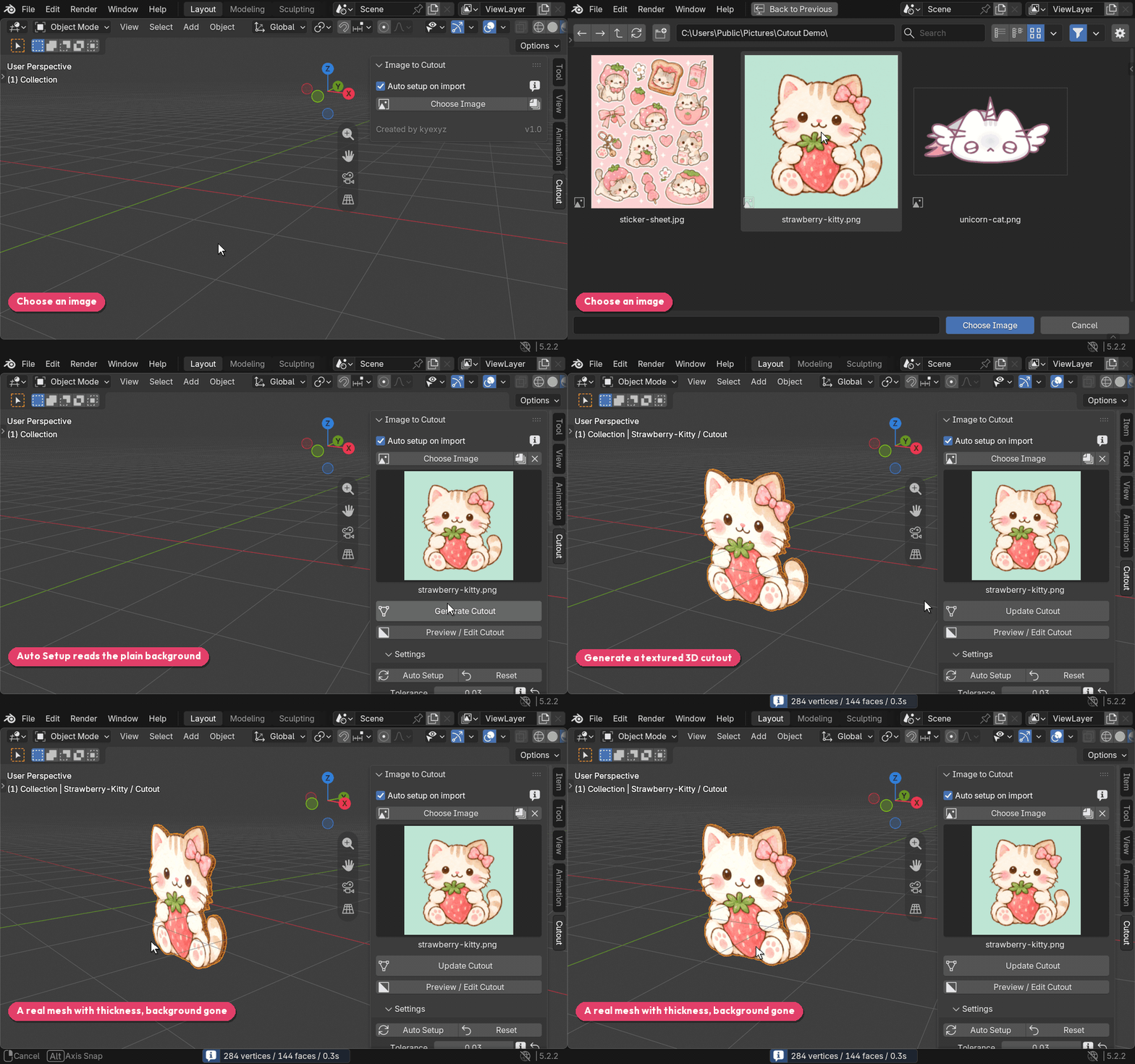
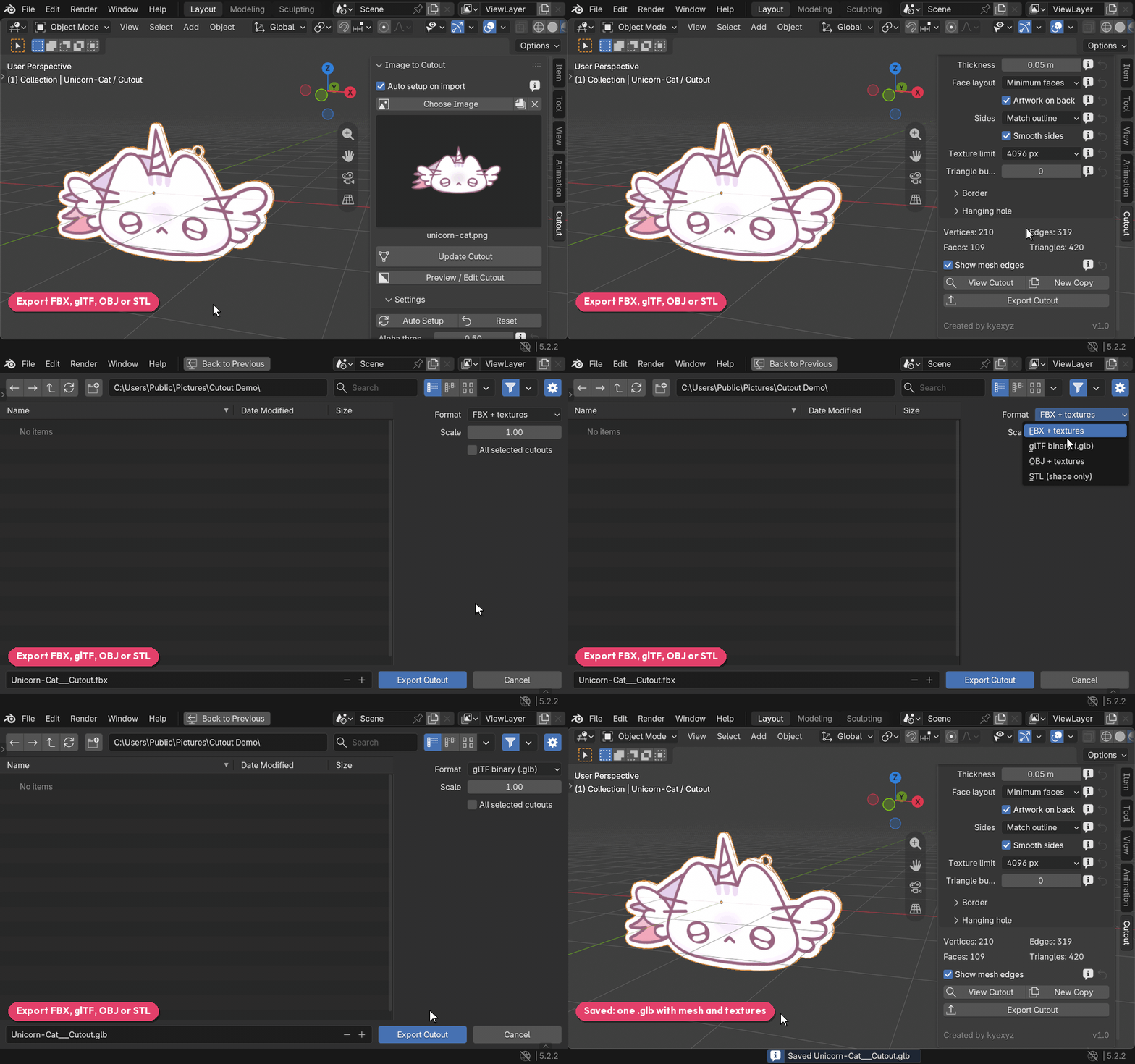
Image to Cutout turns a transparent PNG, or art on a plain background, into a textured 3D cutout that follows the outline. Pick an image, click Generate Cutout, and export it as FBX, GLB, OBJ or STL.
Use it to turn stickers, logos, characters and sprites into props, keychain charms, game accessories or 3D prints.
Features
- Auto Setup picks the tracing settings for each image
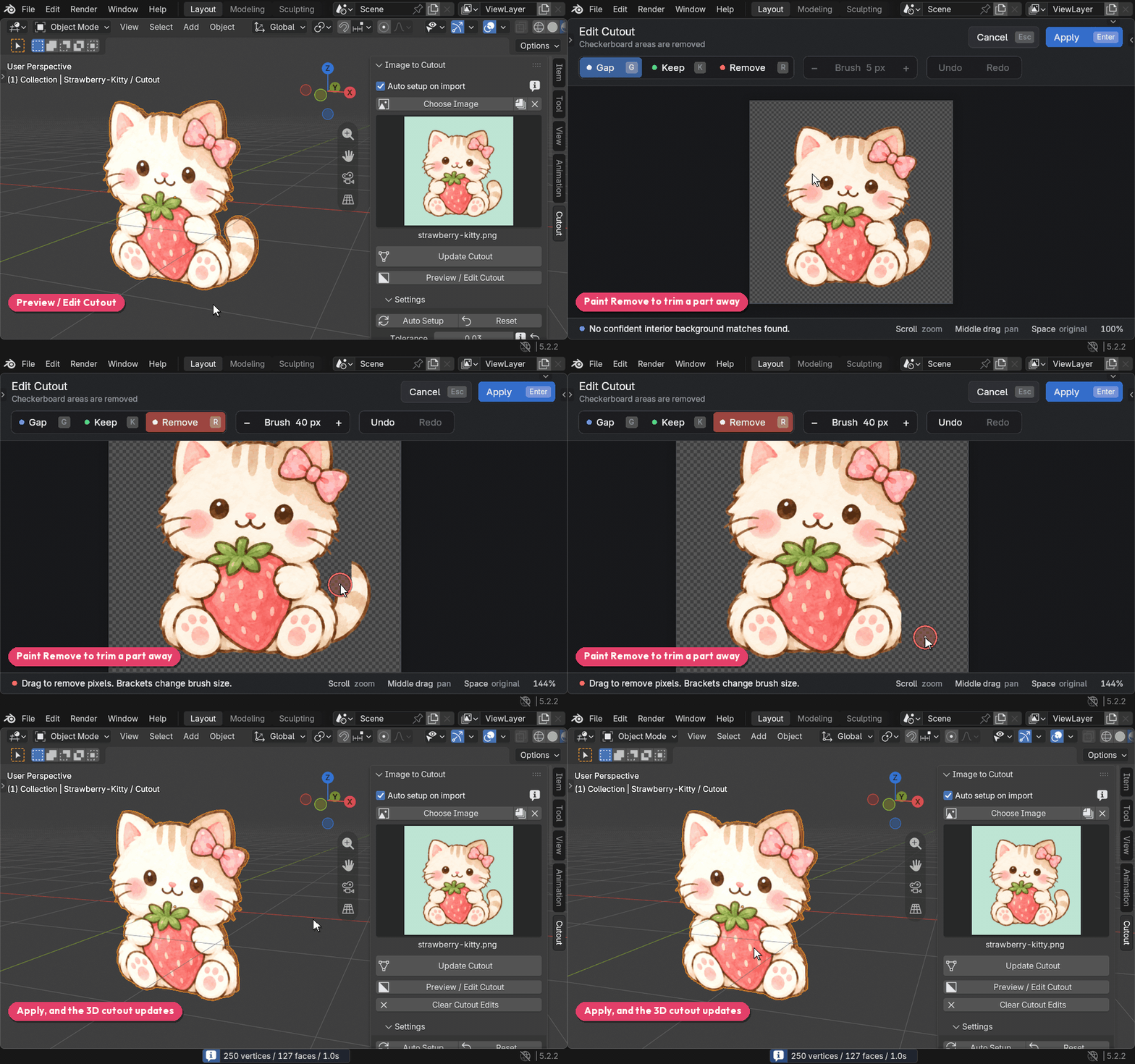
- Preview the cut and paint over mistakes before building
- Gaps in the artwork become real holes
- Adjustable thickness and border
- Hanging hole for keychains and charms
- Triangle budget, such as 4,000 for Roblox accessories
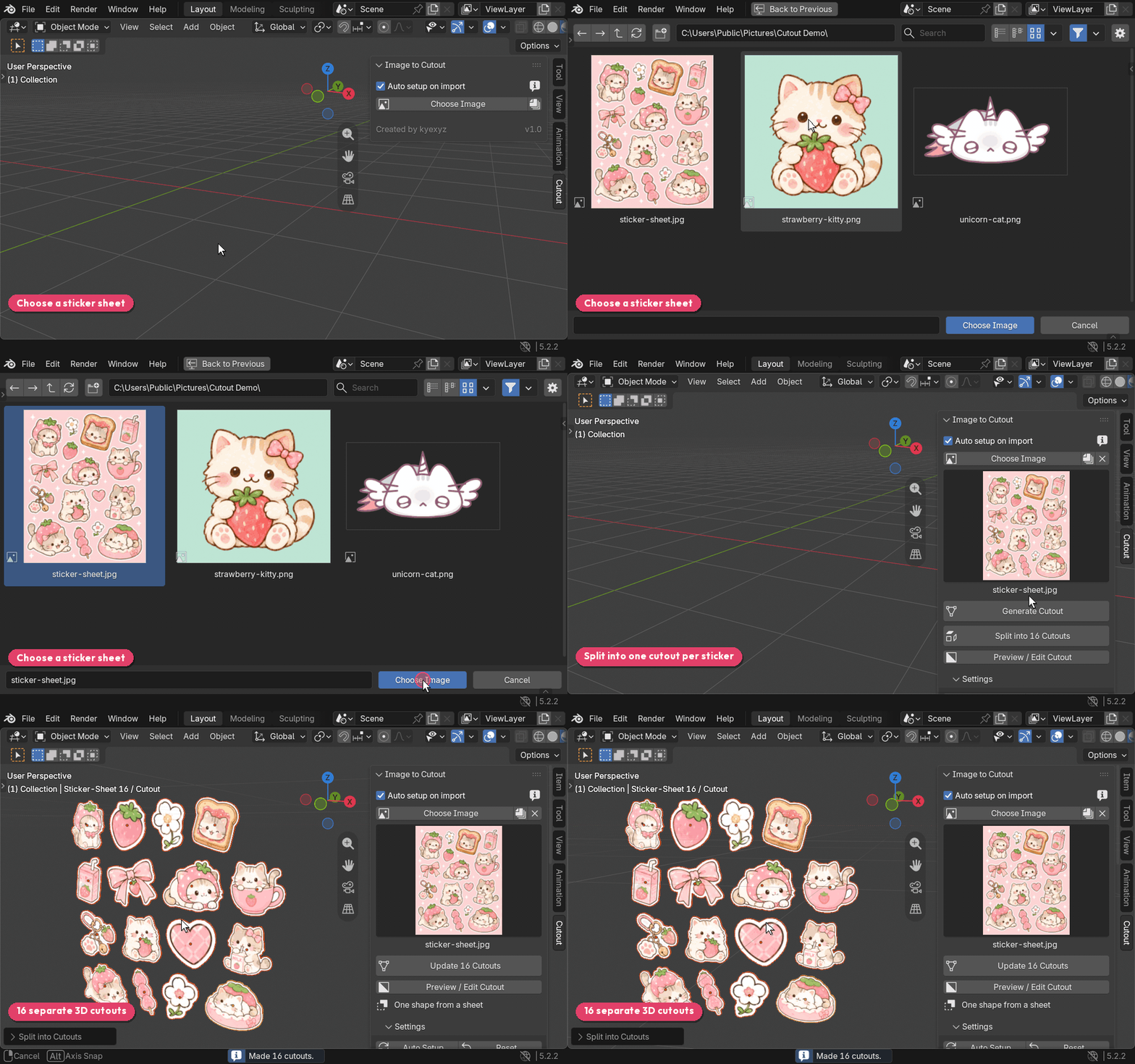
- Splits sticker sheets into one cutout per sticker
- Converts multiple images at once
- Editable mesh with no modifiers
- Runs offline, with no uploads, AI model or account
How to use
- In the 3D Viewport, press N and open the Cutout tab.
- Click Choose Image, or drag an image into the viewport.
- Click Generate Cutout.
- Adjust the settings, click Update Cutout, then Export Cutout.
Install
Needs Blender 4.2 or newer. Nothing else to install.
Download the .zip, don't unzip it, and drag it into the Blender window. Or go to Edit > Preferences > Add-ons, open the menu in the top-right corner, and choose Install from Disk.
Limitations
- It needs a transparent or plain background. It can't cut a subject out of a busy photo.
- Images can be up to 25 megapixels.
Licensed under GPL-3.0-or-later. The meshes you make are yours to use anywhere, including commercial projects.
Support
Join our Discord server for support!
Found a bug, or an image that doesn't cut out well? Leave a comment with the image and I'll look into it.
Download
Click download now to get access to the following files:
Comments
Log in with itch.io to leave a comment.
so helpful, dont need to spend an hour cutting out 6 charms </3